




PPSSPP Gold is the premium version of the original PSP emulator for Android. It allows you to play your PSP games in high definition, with extra features that improve your gaming experience. The app works on a wide range of devices, but performance depends on your phone’s hardware.
This guide will explain everything you need to know about PPSSPP Gold: its features, how to use it, settings for smooth gameplay, compatibility tips, and troubleshooting common problems. By the end, you’ll know exactly how to enjoy PSP games on your Android device.
What is PPSSPP Gold and Why Use It?
PPSSPP Gold is the original and only PSP emulator for Android. It lets you play PlayStation Portable games on your phone or tablet. Unlike other emulators, PPSSPP Gold is fully optimized to run most PSP games in high quality.
The Gold version is a paid option. Buying it supports the development of the emulator and ensures continuous updates. There’s also a free version available, but it lacks some features and does not contribute financially to developers.
Why use PPSSPP Gold?
- High-quality graphics: Play games in HD with improved textures and filters.
- Extra features: Save states, custom controls, and frame skipping options for smoother gameplay.
- Reliable performance: Frequent updates make the Gold version stable and fast.
PPSSPP Gold is especially useful for gamers who want a polished and ad-free experience on Android. For those who like managing large files, you can even check out our ZArchiver guide to organize your game ISOs and CSOs efficiently.
Main Features of PPSSPP Gold
PPSSPP Gold offers a variety of features that make it the best PSP emulator for Android. Here are the main highlights:
High Definition Rendering
With PPSSPP Gold, you can play PSP games at higher resolutions than the original console. You can also enable texture filtering, texture scaling, and other visual enhancements to make games look sharper and more vibrant.
Support for Multiple File Types
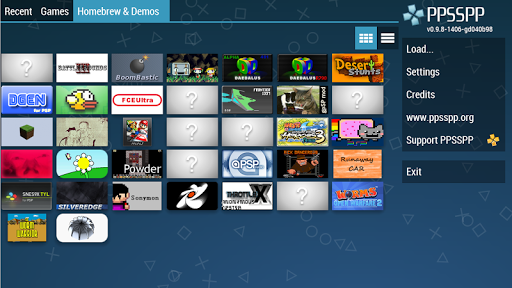
PPSSPP Gold can load multiple game file types including ISO, CSO, and homebrew games. Homebrew games are free games developed by independent developers and are legally available online. To play them, simply place the files in the /PSP/GAME folder on your SD card or USB storage.
Controller and Touchscreen Support
You can use touchscreen controls, a physical gamepad, or even connect a Bluetooth controller for a more authentic PSP experience. All buttons are customizable, so you can set layouts that are comfortable for your play style.
Save States and Quick Saves
PPSSPP Gold allows you to save your game at any point, not just at checkpoints. This feature is perfect for long games or challenging sections. You can also load previous saves quickly without restarting the game.
Advanced Audio and Video Options
You can adjust audio latency, volume, and enable high-quality sound emulation. For video, options include frame skipping, rendering backend selection, and screen orientation settings.
How to Download & Install PPSSPP Gold APK
While this guide does not include a download section, here’s how you can safely install PPSSPP Gold:
- Official Source: Get the app from the Google Play Store or the official PPSSPP website. Avoid unknown sources to prevent unsafe APKs.
- Device Compatibility: PPSSPP Gold works best on Android 5.0 and above. High-end devices can run games at full speed, while lower-end devices may need adjustments.
- Installation: Install like any regular Android app. Make sure your device allows installation from unknown sources if you download the APK outside Google Play.
- Storage: Create a folder for PSP games, typically
/PSP/GAME, to store your ISOs and CSOs.
How to Use PPSSPP Gold to Play PSP Games
Playing games on PPSSPP Gold is simple once your files are ready.
Loading Your Game Files
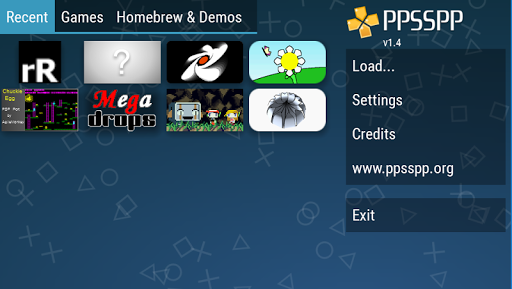
Open PPSSPP Gold and navigate to the folder where your PSP games are stored. Tap the ISO or CSO file to load it. The app will recognize the game and show its icon and name.
Configuring Game Settings
Adjust settings for optimal performance:
- Graphics: Choose resolution scaling, texture filtering, and frame skipping according to your device’s capabilities.
- Controls: Customize touch controls or connect a gamepad.
- Audio: Lower latency if needed for smoother sound.
Starting the Game
Once settings are configured, tap the game to start. You can use save states to save progress anytime. If a game runs slowly, adjust the rendering settings or frame skipping until it runs smoothly.
Best Settings and Tips for Performance
To get the most out of PPSSPP Gold, follow these tips:
Graphics Settings
- Rendering Resolution: Set to 2x or 3x if your device is powerful. Lower it if the game lags.
- Texture Scaling: Turn on to improve image clarity.
- Post-Processing Effects: Optional for higher-end devices.
Controls
- Touchscreen: Fully customizable layout.
- Gamepad: Bluetooth controllers offer better accuracy and comfort.
- Key Mapping: Adjust button layout for each game if needed.
Performance Tips
- Frame Skipping: Enable if games run slowly on older devices.
- Auto Frameskip: Allows the emulator to adjust performance automatically.
- Multithreaded Rendering: Use if your CPU has multiple cores.
Compatibility, Device Requirements & Limitations
PPSSPP Gold works on most modern Android devices, but performance depends on hardware.
Device Recommendations
- High-end devices: Can run most PSP games at full HD smoothly.
- Mid-range devices: May need lower rendering settings.
- Low-end devices: Stick to older PSP titles or use frame skipping.
Game Compatibility
Most PSP games run well, but very demanding titles may not reach full speed on older devices. Check online compatibility lists for specific games if you encounter issues.
Common Limitations
- No included games: You must provide your own PSP ISOs or CSOs.
- Some games may lag: Especially 3D-intensive games on low-end devices.
- External storage required: Large game files may require SD card or USB storage.
People Also Ask
Q: What games does PPSSPP Gold support?
A: Almost all PSP games, including homebrew titles. Check compatibility online for very demanding games.
Q: Is PPSSPP Gold safe and legal?
A: Yes, the app itself is safe and legal. Downloading copyrighted games without owning them is illegal, but homebrew games are free and safe.
Q: How do I load ISO files into PPSSPP Gold?
A: Place ISO or CSO files in the /PSP/GAME folder and select them in the app.
Q: What is the difference between PPSSPP free vs Gold?
A: Gold removes ads, supports developers, and often receives updates first.
Q: Can I use a gamepad with PPSSPP Gold?
A: Yes, you can connect Bluetooth controllers or USB gamepads for a more authentic PSP experience.
Highly Compressed Version / Version Info
- Latest Version: 1.16.7 (example for 2025)
- Size: ~20MB (lightweight for mobile)
- Android Required: 5.0 and above
- Offline Play: Yes, once you have your PSP games
- Updates: Regular updates improve compatibility and fix bugs
For those managing game files, using a tool like ZArchiver can help organize your ISOs and CSOs efficiently.
More Post
- ZArchiver – Manage APKs and compressed files
- FIFA 16 Mod FC 26 PPSSPP HD Graphics
- FTS 2026 Mobile Android Offline
These links are included naturally for readers who want more guides on Android emulation and APK management.
Conclusion
PPSSPP Gold is the ultimate PSP emulator for Android. It allows you to play your favorite PSP games in high definition, customize controls, save progress anytime, and enjoy smooth performance. While the free version works well, buying Gold supports the developers and unlocks a fully optimized, ad-free experience.
Combine PPSSPP Gold with tools like ZArchiver to manage your PSP game files efficiently. With the right setup, your Android device can replicate the PSP gaming experience, giving you portable, high-quality gameplay anywhere.
Additional Information
- Version 1.19.3
- Requires Android 2.3
- Update 2025-07-14
- Developed by Henrik Rydgård
- Category Apps And Top Apk mods
- Package Name org.ppsspp.ppssppgold